The problem PillPal is trying to solve isn't a lack of information, it's a lack of trust in the information that already exists. Every design decision, from the way the interaction checker steps through inputs to the way supplement pages layer detail progressively, was in service of that single goal: making reliable health information feel accessible to someone who isn't a medical professional and isn't actively looking for trouble.
What the process reinforced is that simplicity in a health context isn't an aesthetic choice, it's a safety consideration. A user who gets confused, overwhelmed, or uncertain is a user who abandons the app and goes back to TikTok. The design has to earn continued use, and it does that by never making the user feel out of their depth.
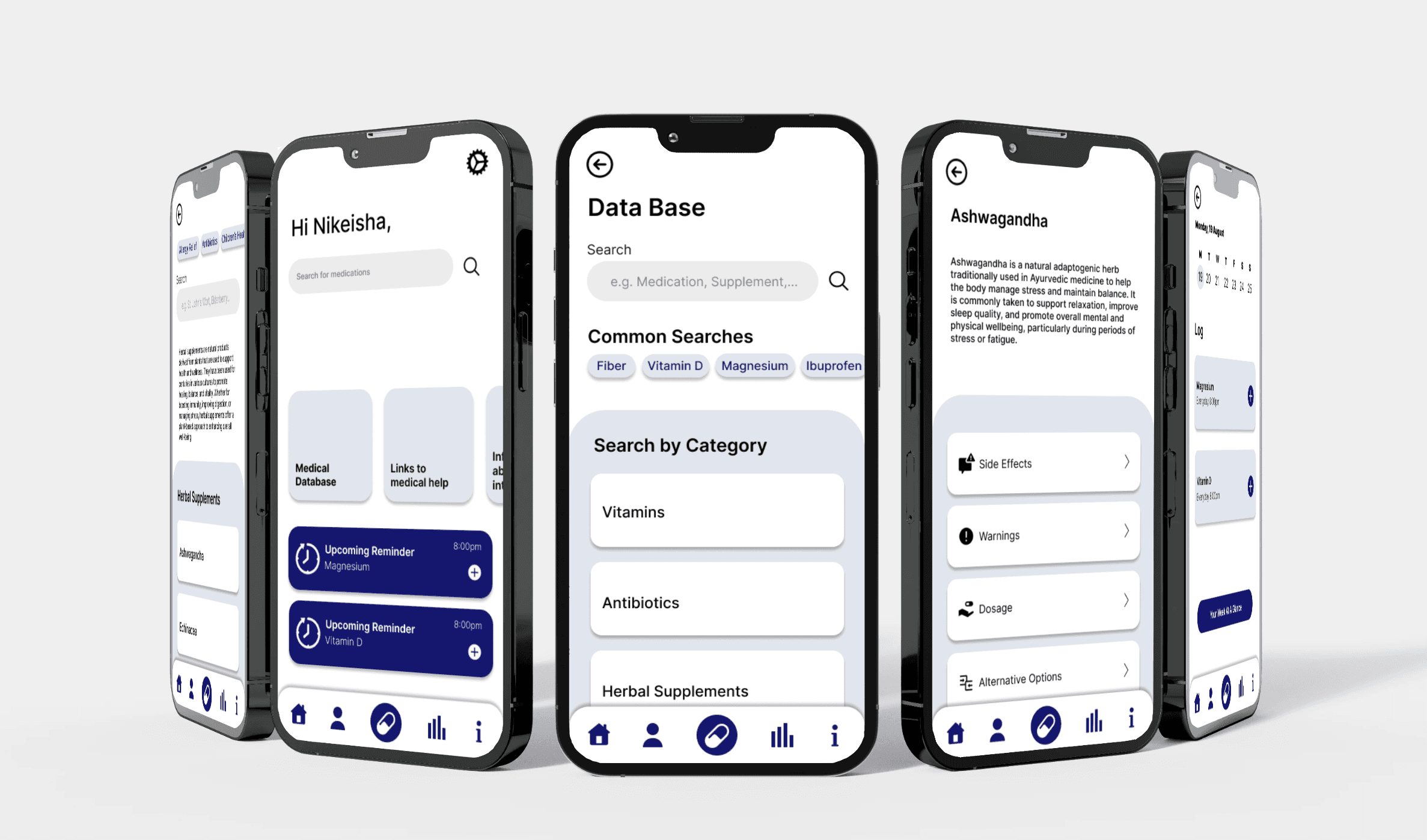
The home screen greets the user by name, a small decision that sets the tone for everything that follows. This isn't a medical tool that tolerates you, it's something designed to feel personally useful. Upcoming reminders surface immediately, keeping medication management present without requiring the user to go looking for it.
The database anticipates uncertainty. Common searches are surfaced before the user has typed anything, which removes the friction of a blank search field for someone who doesn't know the exact name of what they're looking for. Categories let users browse without needing prior knowledge.
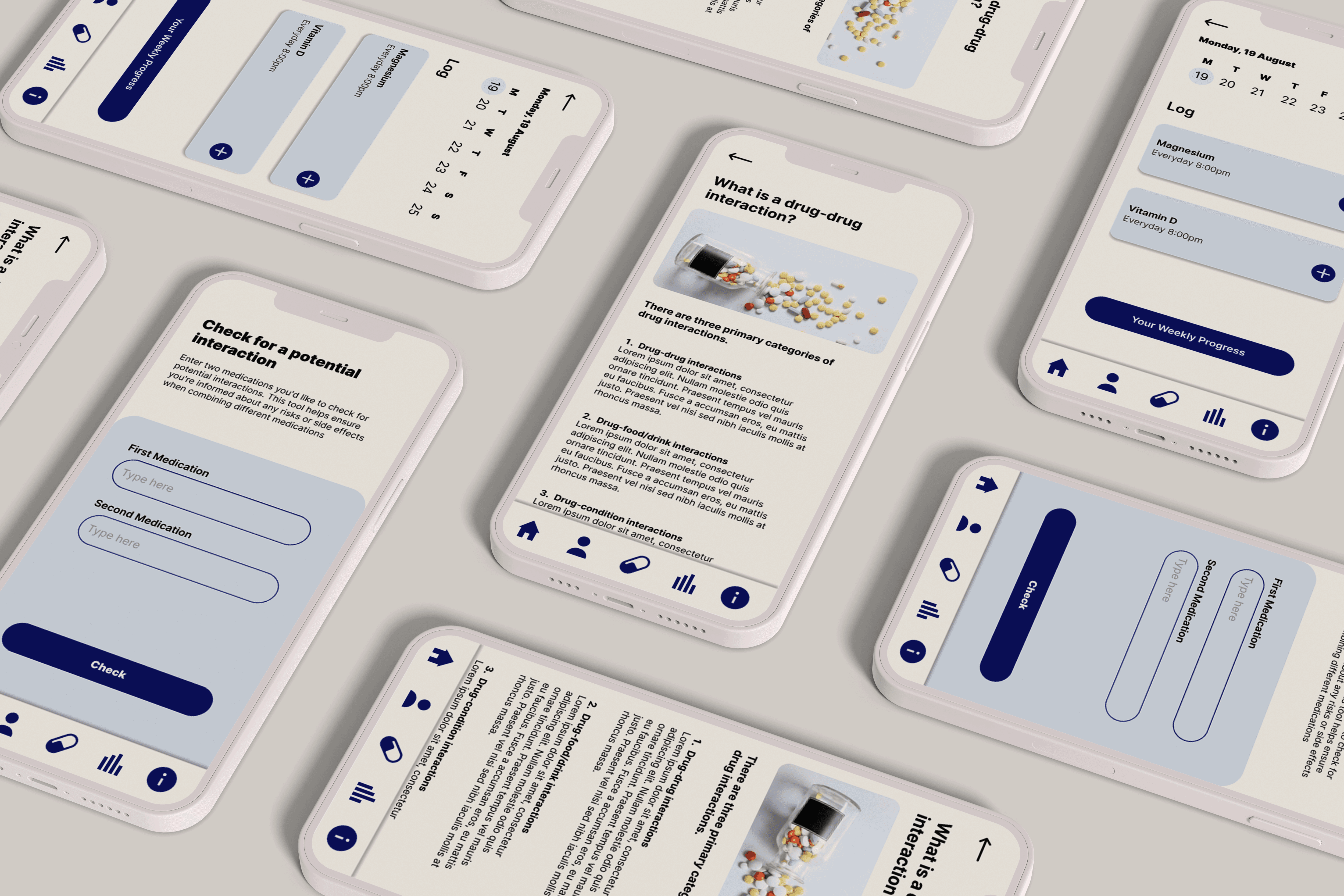
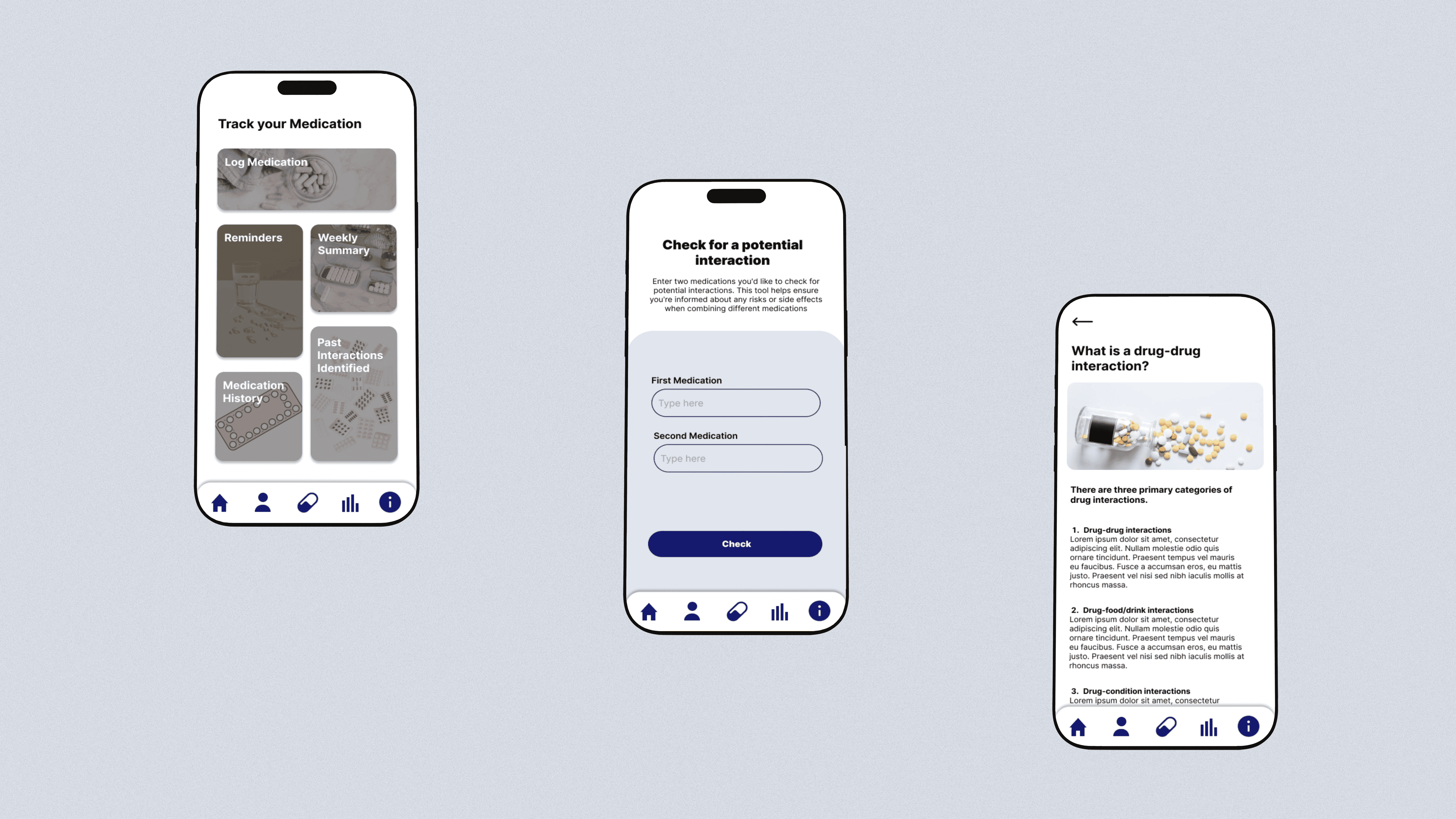
The interaction checker is the app's most critical moment, it's where a user finds out whether something they're already taking could be causing harm. The step-by-step flow reflects that weight: rather than presenting a form to fill out, the experience breaks the task into single actions, keeping focus on one input at a time. The goal was to make something that felt considered rather than clinical.
The interaction checker is the core feature of the app, allowing users to quickly identify potential risks between medications and supplements. Users are guided through a simple input process, with results presented clearly to support quick, informed decisions.
The tools that do exist assume a level of medical literacy that most users don't have. PillPal had to meet people where they actually are: casually managing their health, not actively researching it. That meant making the experience simple enough to use without prompting, and clear enough to be understood without a medical background.
The app brings everything into one place - medication tracking, interaction checking, past results, and supporting information. Because the problem isn't just that people don't know about interactions, it's that the information they need is scattered across places they're not thinking to look. Centralising it reduces the effort required to stay informed, which is the only way to make that behaviour realistic for most users.
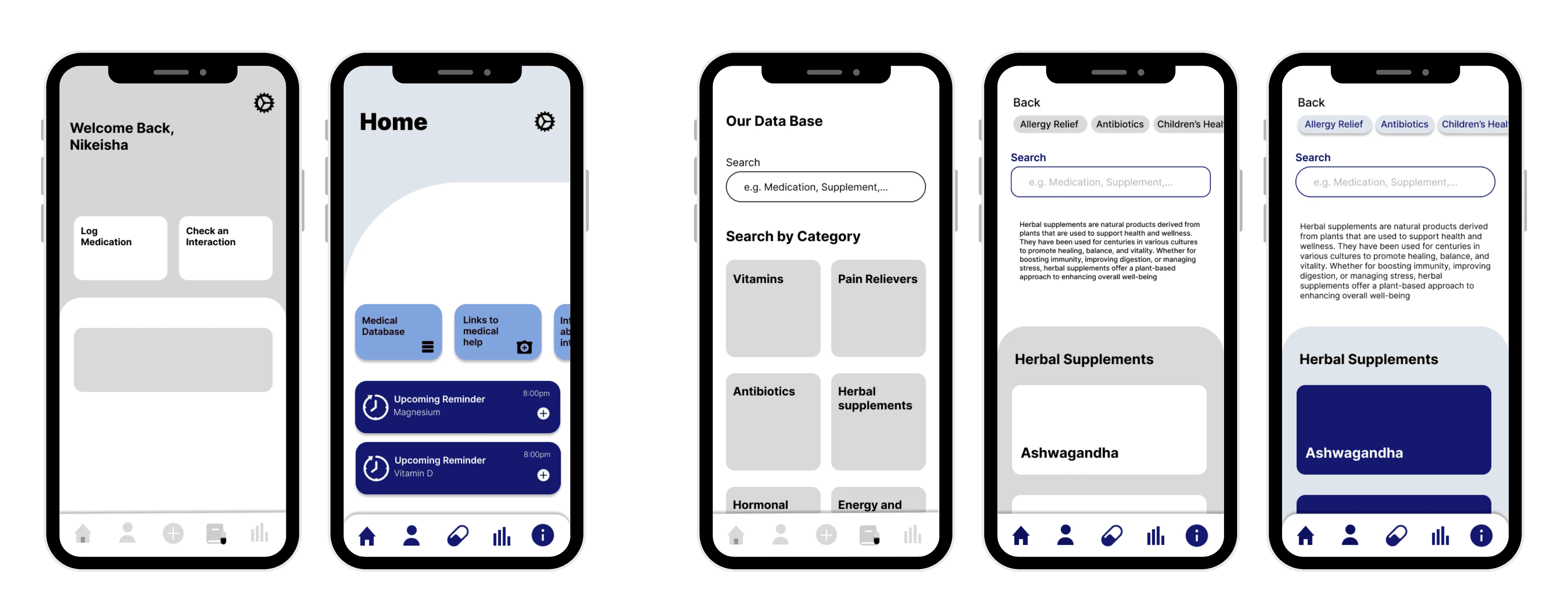
The home screen was flagged as too minimal, buttons didn't read as interactive and the screen lacked enough visual weight to orient users confidently. Buttons that don't read as tappable break the most basic expectation of an app, so icons were added and styling made more prominent to restore that clarity. On the medication information pages, body copy was too small to read comfortably and a horizontal scrolling bar wasn't recognised as interactive so a drop shadow was introduced to signal its function, consistent with how buttons were treated elsewhere in the app.
Card sizing was reconsidered in light of Miller's Law. Earlier iterations showed more items on screen at once, but reducing the number of visible cards reduced cognitive load without losing access to information. Shape consistency was also addressed, a square search input field sitting alongside rounded buttons created a visual tension that had no functional purpose, so the input was brought in line with the rest of the interface.

Pillpal
Prescription medications are monitored, pharmacists and physicians have systems that flag interactions before they become dangerous. Supplements don't have that safety net. They're bought over the counter, often without a second thought, and rarely make it into the picture when a doctor is reviewing what someone is taking. The gap between the two is where the risk lives.
PillPal is a medication management app designed to close that gap, giving users a simple, reliable way to track their prescriptions and supplements and check for potential interactions before they become a problem.
Project type
Mobile App
Year
2024
PREVIOUS PROJECT
NEXT PROJECT